At Quorum, we build security into every layer of how you bank.
We monitor accounts around the clock using fraud detection tools and will reach out if we detect unusual activity.
Our online and mobile banking platforms feature continuous monitoring and layered safeguards at every login.

You may be covered for unauthorized transactions when you report them promptly. For specifics, see your Credit or Debit Card Agreement or the applicable disclosures.

We collect information when you open an account, pay bills, or apply for a loan—and sometimes from credit bureaus—so we can process transactions and maintain your accounts.
We follow strict, transparent, and federally compliant practices to protect your personal information. Our Privacy Policy explains what data we collect, how we use it, how we safeguard it, and what choices you have.
You can limit certain sharing for Quorum marketing and joint marketing at any time.

Online and mobile banking feature continuous monitoring and layered safeguards at every login and times out after a period of inactivity to help prevent unauthorized use if a session is left open.

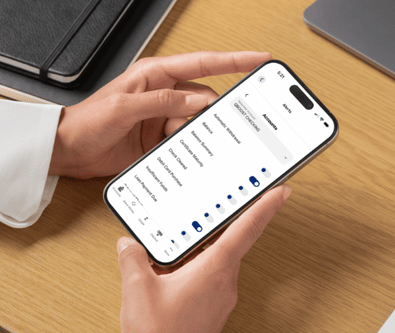
Check your accounts regularly and enable account and card alerts in online or mobile banking for real-time notifications.
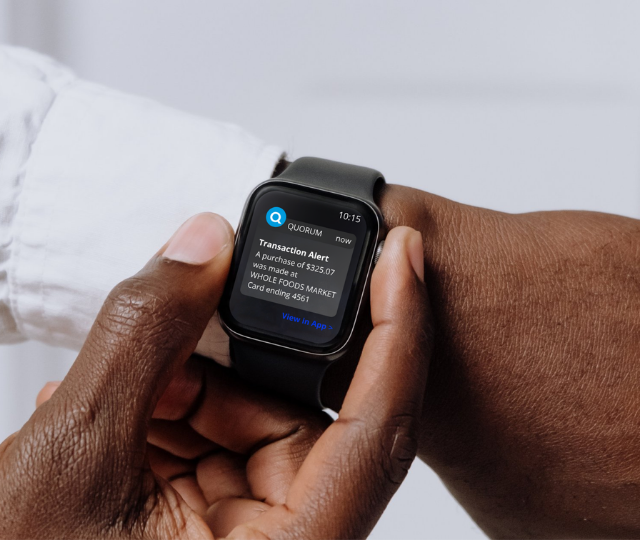
Opt in to Quorum’s free Credit Score service for up-to-date reports on your credit health. If you suspect fraud, place a credit freeze to block new credit in your name until you lift it. This service is free with all the major credit bureaus: Equifax, Experian, TransUnion. Report fraud or identity theft the moment you spot it to limit your liability and start recovery.
Update your browser's security settings to ensure security patches install routinely.
Before signing logging in to your Quorum account, confirm you’re on the real site: look for the lock icon and https://www.quorumfcu.org in your address bar.

Periodically change your account password.
Use strong passwords. Avoid using personal information such as birth dates, first names, pet names, addresses, SSN, or phone numbers.
Never share your password to anyone.
Use a password manager to generate and securely store unique passwords.
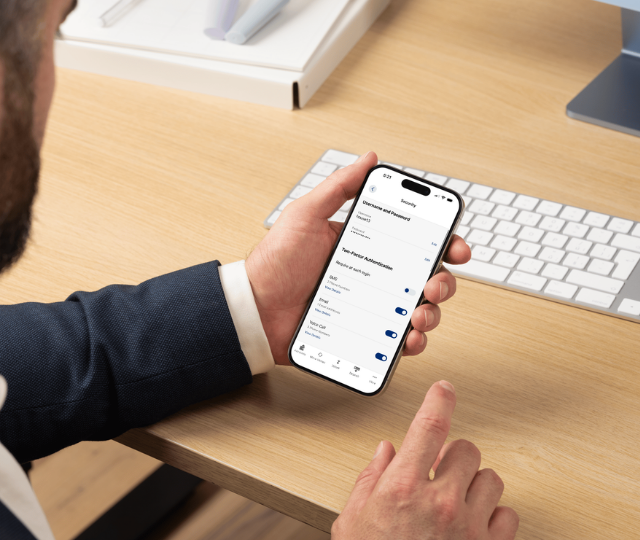
Enable MFA for an added layer of security, whenever possible.
Multi-Factor Authentication (MFA) is a multi-step verification process that requires you to provide more information for extra security.
Quorum protects your account using MFA for suspicious logins and certain transactions—but you can require it for every login.
Sending Money: Avoid sending money to someone you don't know, have never met in person, or are unable to verify the legitimacy of the transaction.
If you think you’re a victim of fraud, contact us immediately. Acting quickly is the best way to limit damage.
Contact Quorum right away via Secure Message within online banking or the mobile app, or call (800) 874-5544.
Review your recent transactions and note anything you don’t recognize.
Change your online banking password. Do not reuse an old one.
Turn on alerts so you’re notified about account activity.
If you got a suspicious call, text, or email, do not click and do not share codes. Hang up and call Quorum back directly.
Quorum is consistently selected as one of the top credit unions in America.
AARP BankSafe Trained
AARP
Best Credit Union for ATM Access
Buy Side from WSJ
Best Credit Union for Savings Accounts
CNBC
Best Credit Unions for Checking Accounts
Best ATM Network
CNBC
"This is a safe place to put your money. They have very proactive fraud prevention systems that I am impressed with. Recently, I moved a large amount of money that is going towards the purchase of a car and my account not only required a code, but I received a phone call within a half hour of my transaction from one of their professionals, Savannah. She politely quizzed me, and from every angle may I say, to establish that it was indeed me who was working within my account. The savings and CD rates are great also and, their website works like clockwork. Thank you, Quorum, for being the best!"
"Quorum is great. We feel so much more secure with a federal credit union than a commercial bank. Great staff at customer service are always patient and helpful. Rates on interest bearing accounts are great too. Website is user friendly. Info is clear and precise. Glad we found Quorum."
"I have been with this Credit Union for 12 or 13 years. For security, I give them an A+. Customer service is very helpful. Happy customer."
Quorum uses multi-factor authentication (MFA) to help protect your personal and financial information. MFA adds an extra step to confirm it’s really you when you log in.
Here’s how it works:
Why Am I Still Being Asked for a Security Code?
After multiple successful logins from the same device and IP address, Quorum’s system may recognize your device and stop asking for a security code each time. This helps make future logins faster and more seamless.
You may still be asked for a security code if:
In these cases, you’ll keep receiving security-code prompts until your device or network is recognized.
Want a Security Code Every Time You Log In?
You can require two-factor authentication for every login, even if your device is recognized. Log in to your account, then go to Settings > Security. In Two-Factor Authentication, toggle Require Two-Factor Authentication for Each Login to ON.
You may have received a call from our Fraud Prevention Center because they detected suspicious activity on your card. If they believe your card may have been compromised, they may temporarily suspend card use until you confirm the questionable purchases.
Please stay alert for scammers and phishing attempts. Our Fraud Prevention Center will never ask for:
They will also never direct you to a website other than Quorum’s or ask you to call any number other than (888) 918-7313.
If you’re ever unsure whether a call is legitimate, hang up and call Fraud Prevention directly at (888) 918-7313.
Privacy
We use encryption to help protect the connection between your browser and our website. A TLS certificate (also called an SSL certificate) helps create a secure, encrypted connection when you visit Quorum online. You can usually confirm this by looking for the lock icon next to the website address in your browser.
Read more about TLS encryption here.
Security and Browser Support
Online banking includes additional security features to help protect your information. Sessions time out after a period of inactivity to help prevent unauthorized access if you leave your device unattended, so we recommend logging out when you’re done.
Your transactions are routed through protected systems that help ensure only authorized requests are processed. We also use access controls, intrusion detection, and anti-virus monitoring to help protect against malicious activity.
To make sure online and mobile banking work securely, check our Browser Support page to confirm your browser is supported.
Encryption Level
Our secure pages require a browser that supports 128-bit encryption. If your browser does not support it, you’ll need to upgrade to continue accessing secure areas of the site.
Authorization
We verify your password at login and monitor failed login attempts for suspicious activity. If too many incorrect attempts are made, your account will be locked. To help protect your account, use a strong password, never share it, and update it periodically.
If you have requested a temporary password be sent to you (due to being locked out of online banking, etc.), Quorum will prompt you to update your password after successfully logging in with the temporary password. Please note, Quorum will ONLY ask you to update your password within online banking once you have successfully logged in with the temporary password that was sent to you. Never provide your password by clicking on links in suspicious emails, etc.
If you need assistance, please reach us at (800) 874-5544, Monday through Friday, 8:30 a.m. – 7:00 p.m. ET.
If you ever believe you have been the victim of identity theft or have reason to believe your information is being misused, immediately contact the police and file a police report. Obtain a copy of the police report as you may need to provide copies of the report to creditors to clear up your records. You may also contact the Federal Trade Commission and the Attorney General’s Office in your state.
Also, contact our Member Service Team immediately by sending a Secure Message through online banking 24/7, or calling (800) 874-5544, Monday through Friday, 8:30 a.m. to 7:00 p.m. ET.
Overseas members, please call 001-914-641-3700.
Yes. Our first priority is to protect your personal information. If you ever receive a text message asking for your member number, account numbers or other personal information, please do not respond, as they could be malicious phishing attempts.
Yes. Zelle® does not share sensitive account details when you send or receive money—only a U.S. mobile number or email address linked to a U.S. bank account. Security features like authentication and monitoring help protect your payments, but it’s still important to use Zelle® carefully. Only send money to people you trust, and always double-check the recipient’s mobile number or email address.
Because Zelle® payments can’t usually be canceled once they’re sent, it’s best to treat Zelle® like cash. If you don’t know the person, if something feels off, or if a deal seems too good to be true, use another payment method. Unlike many credit cards, Zelle® does not offer purchase protection for authorized payments.
Mastercard ‘s Personal Identity Theft Resolution Services on your Quorum debit or credit card provides you with access to a number of Identity Theft resolution services including: a Concierge Level Certified Restoration specialist who works on behalf of the cardholder on dispute resolutions, cancelling and replacing card(s), providing updates on the status of the fraud investigation and more. Call (800) MC-ASSIST for more information.