Protect your account by keeping your information current.
Ensuring that we have the correct information on file for you will help protect your account from fraudulent activities and help us to serve you better. Be sure to check your contact information today by logging in to online banking.
If you’re unable to log in to your account, call (800) 874 5544, Monday – Friday, 8:30 a.m. – 7:00 p.m. ET for personal assistance.
1. Log In
Log in to your account via online banking.
2. Click on the profile icon, then Settings.
You'll find this at the top right corner of the page.
3. Click on Contact
Select the contact information you need to update by clicking on the "pencil" icon.
4. Save Changes
Be sure to save each change you make.
Keep these things in mind when enrolling in online banking.
-
For your security, you will be asked to complete MFA verification by requesting a security code be sent via email or SMS.
-
When updating a phone number to an international number, ensure that the appropriate boxes are checked prior to saving your changes.
-
If you are adding a PO Box address, ensure your physical address is on file prior to making the change.

1. Log In
Log in via the Quorum mobile banking app.
2. Click on More, then Settings
3. Click on Contact
Select the contact information you want to edit.
4. Save Changes
Be sure to save each change you make.
If you haven't already downloaded the Quorum mobile app, click here to download the iOS app or here to download the Android app.
-
For your security, you will be asked to complete MFA verification by requesting a security code be sent via email or SMS.
-
When updating a phone number to an international number, ensure that the appropriate boxes are checked prior to saving your changes.
-
If you are adding a PO Box address, ensure your physical address is on file prior to making the change.

ONLINE & MOBILE BANKING ACCESS
Not Yet Registered for Online Banking?
In order to update your account information online or via our mobile banking app, you’ll need access to your Quorum account online.
You can register for online banking in one of two ways:
-
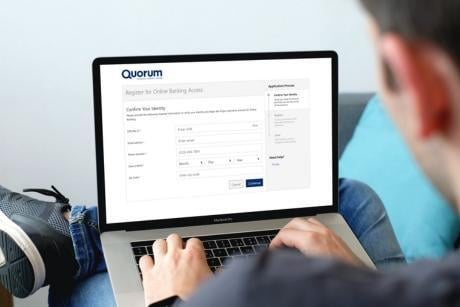
Via Online Banking: Click the “Register” button below and our online banking registration wizard will guide you through the process.
-
Via Mobile Banking: Download our mobile app for iOS, or Android, open the app, click on the “Register” link, then follow the prompts.
Once you are registered, simply follow the directions outlined under this section >
ALERTS AND NOTIFICATIONS
Update Your Communication Preferences
Once your contact information is updated, set up account alerts to help you stay on top of your accounts and get notified about important activity.
Enable Text Alerts
- Go to Settings > Contact.
- Turn on SMS Text Messages for your mobile number.
- Save your changes.
Set Up an Aert
- Go to Account Alerts.
- Choose the alert you'd like to receive.
- Select how you'd like to be notified (text or email).
- Save.